
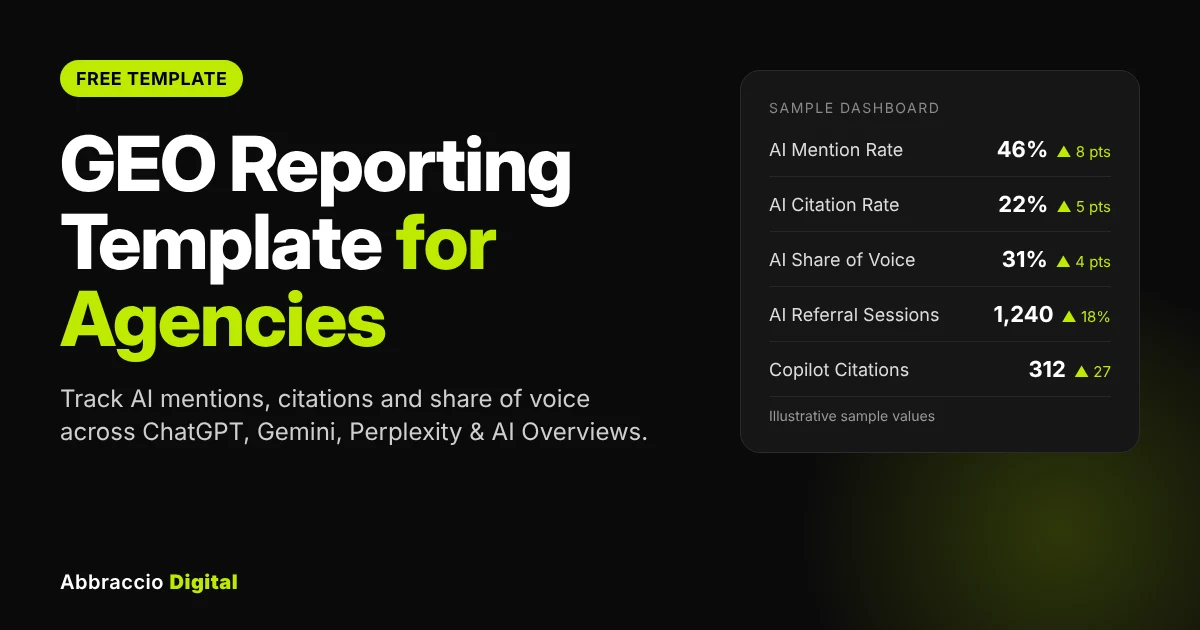
ChatGPT now has 1.2 billion weekly users, and Google’s AI Overviews reach more than 2 billion people a month. Your clients have noticed. The question in every monthly call is no longer just “where do we rank?” It is “when someone asks ChatGPT about our category, do we come up?”
Most agency reports can’t answer that. They show rankings, clicks and sessions, which were built for ten blue links. Meanwhile, a page that ranks first can lose a third of its clicks to an AI Overview sitting above it, and a brand can be recommended by Gemini without a single trackable visit.
This guide fixes the gap. You get a free GEO reporting template built for agencies, the eight KPIs it tracks, a step-by-step way to fill it in with tools you already have, and a script for presenting the results so clients see progress, not confusion.
Quick answer
What is a GEO report? A GEO report shows how visible a brand is inside AI-generated answers from ChatGPT, Gemini, Perplexity, Copilot and Google AI Overviews. A useful one tracks a fixed set of prompts each month and reports five things: mention rate, citation rate, share of voice against competitors, sentiment, and AI referral traffic from GA4.
Why agencies need GEO reporting now
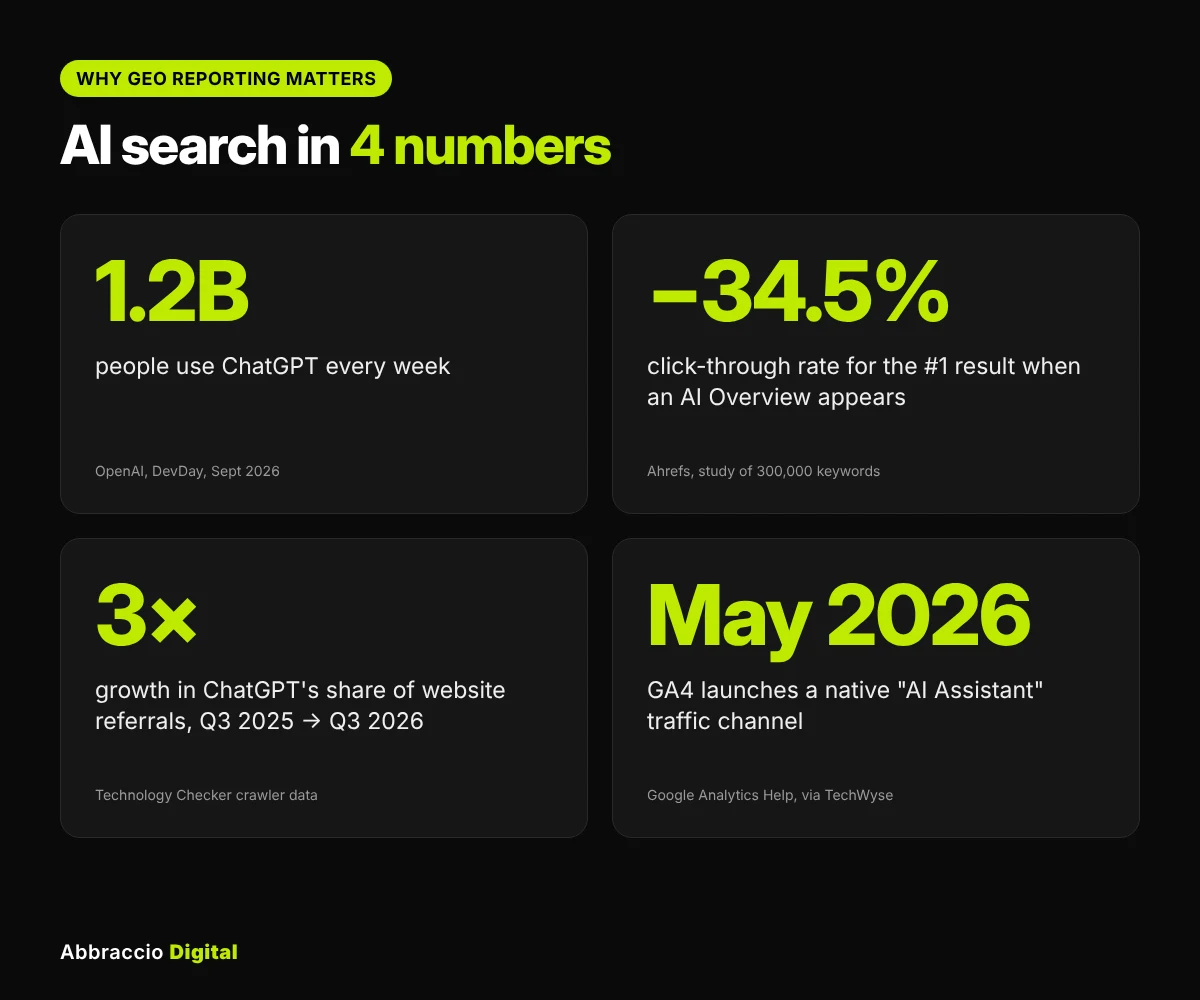
AI answers now sit between your client and the click, and standard SEO reports don’t measure that layer. Four numbers explain why.
|
Stats
|
What it means for your report
|
Source
|
|---|---|---|
|
1.2 billion people use ChatGPT every week (OpenAI, Sept 2026)
|
Buyers research categories inside a chatbot before they ever search
|
|
|
AI Overviews cut the click-through rate of the #1 result by about 34.5%
|
Rankings can hold steady while clicks fall, so rank reports alone mislead
|
|
|
ChatGPT sent 0.64% of observed referrals in Q3 2026, about 3x a year earlier
|
AI traffic is small but growing fast; report the trend, not just the total
|
|
|
GA4 added a native "AI Assistant" channel on 13 May 2026
|
You can now show AI sessions and conversions without custom regex
|
The reporting tools have caught up too. Bing Webmaster Tools added an AI Performance report in public preview in February 2026, showing how often Microsoft Copilot cites your pages. So the data exists. What most agencies lack is one place to bring it together and a consistent way to explain it.
There’s also a commercial reason. Clients are hearing “GEO” and “AEO” from every vendor. The agency that shows a clear monthly AI visibility number keeps the retainer; the one that shrugs loses it.
The 8 GEO KPIs every client report should include
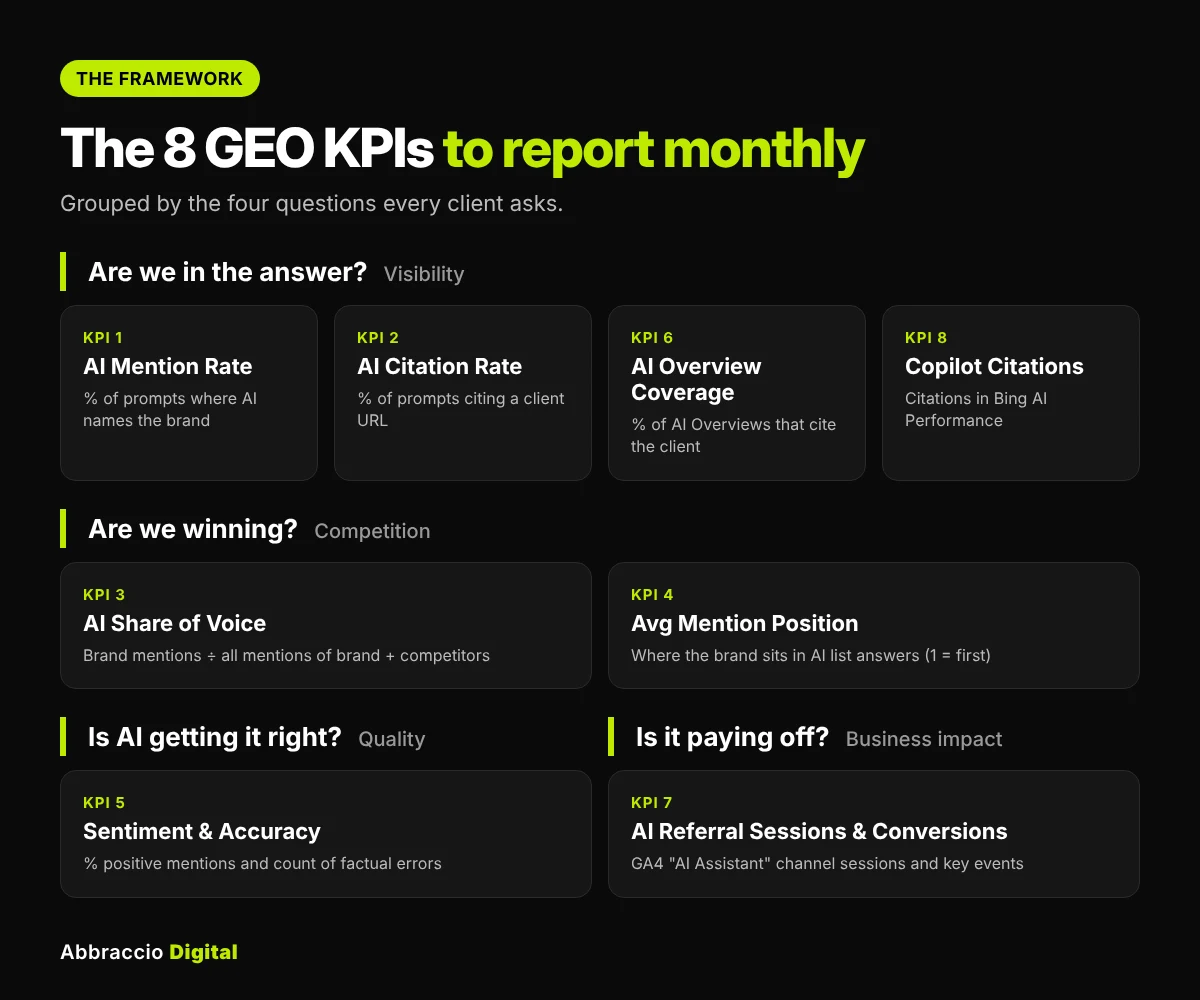
A GEO report works when every number is defined the same way each month. These eight KPIs cover the three questions clients actually ask: are we in the answer, are we winning against competitors, and is it bringing business?
|
KPI
|
What it answers
|
Formula
|
Where the data comes from
|
|---|---|---|---|
|
AI Mention Rate
|
Does AI name us?
|
Prompts where the brand is named ÷ prompts tracked
|
Manual prompt checks or a tracking tool
|
|
AI Citation Rate
|
Does AI link to our site?
|
Prompts where a client URL is cited ÷ prompts tracked
|
Same prompt checks (source links)
|
|
AI Share of Voice
|
Are we beating competitors?
|
Brand mentions ÷ total mentions of brand + tracked competitors
|
Same prompt checks
|
|
Average Mention Position
|
How high are we on AI lists?
|
Average position when named in a list answer (1 = first)
|
Same prompt checks
|
|
Sentiment & Accuracy
|
Is AI saying the right things?
|
% positive mentions; count of factual errors
|
Same prompt checks
|
|
AI Overview Coverage
|
How often does Google cite us?
|
Tracked keywords where the client is cited in the AI Overview ÷ keywords with an AI Overview
|
Manual SERP checks or a rank tracker with AIO tracking
|
|
AI Referral Sessions & Conversions
|
Is AI sending business?
|
Sessions and key events in GA4's AI Assistant channel
|
GA4
|
|
Copilot Citations
|
Does Microsoft cite us?
|
Total citations and cited pages for the month
|
Bing Webmaster Tools AI Performance
|
Three rules keep these numbers honest:
- Fix the prompt set. Use the same 25–50 prompts every month. Change them and you are measuring a different thing.
- Run each prompt more than once. AI answers vary between runs. Checking each prompt two or three times and recording the majority result smooths out the noise.
- Treat AI referral traffic as a floor. GA4 only sees visits that arrive with a referrer. Clicks from AI mobile apps often land in Direct, and only an estimated 60–80% of AI visits carry a clean referrer.
What's inside the free GEO reporting template
The template is one Excel file with six tabs. You type raw observations into three of them, and the other three calculate and present everything automatically. It works in Excel, Google Sheets and LibreOffice, with no add-ons.
|
Tab
|
What you do there
|
What it gives you
|
|---|---|---|
|
Start Here
|
Enter the client's brand, domain, three competitors and the first reporting month
|
Setup instructions and an example row showing the exact format
|
|
Prompt Set
|
Write 25–100 buyer prompts, tagged by funnel stage, topic and priority
|
A fixed list you re-run every month, so results stay comparable
|
|
Monthly Checks
|
Log one row per prompt, per platform, per run: mentioned, position, cited URL, competitors, sentiment, errors
|
Dropdowns for every field, so two people log results the same way
|
|
Traffic & Citations
|
Paste GA4 AI Assistant sessions and key events, Bing Copilot citations, and AI Overview counts once a month
|
The traffic and citation side of the report
|
|
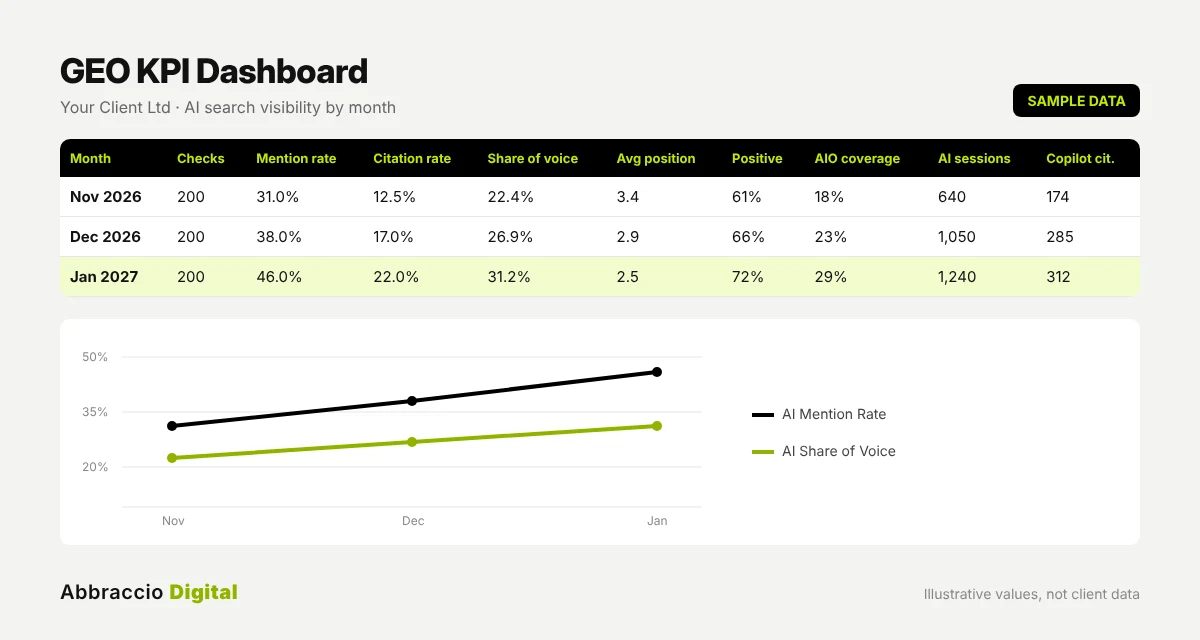
Dashboard
|
Nothing. It's all formulas
|
All 8 KPIs by month for 12 months, competitor share of voice, a per-platform breakdown and a trend chart
|
|
Client Summary
|
Pick the report month and write three short notes
|
A one-page report: this month vs last month for every KPI, plus Wins, Watch-outs and Next actions
|
Two design choices matter. First, every input cell is yellow and everything else is a formula, so team members know exactly where to type and where not to. Second, the competitor names you enter on Start Here flow through to every column header, so the report always reads in the client’s own terms.
How to fill in the template: step by step
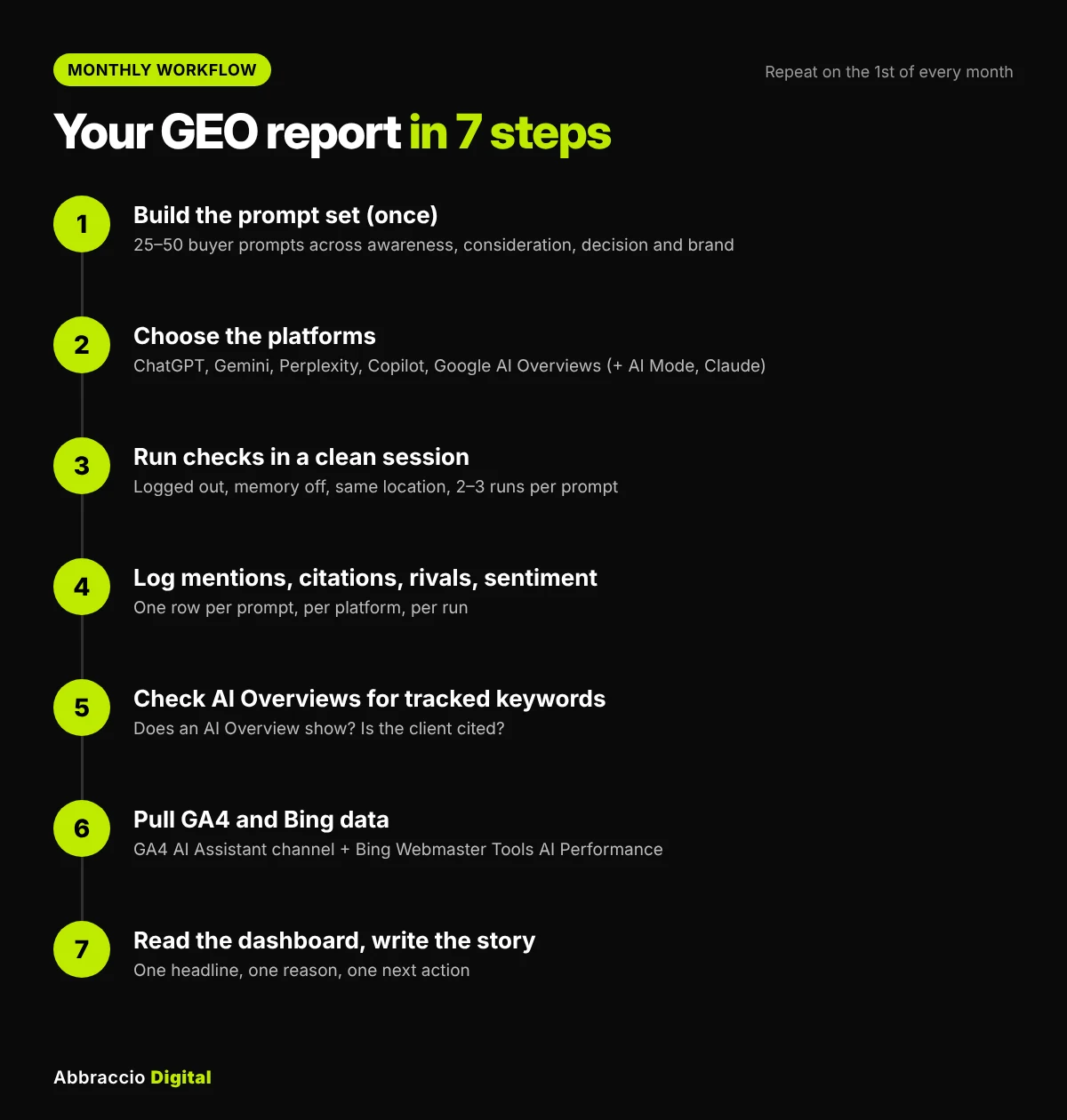
Block out one session at the start of each month and work through these seven steps in order.
- Build the prompt set once. Write 25–50 prompts a real buyer would type into an AI assistant. Mix the funnel: awareness (“what is a makhana snack”), consideration (“best healthy snacks for office in India”, “Brand A vs Brand B”), decision (“is Brand A worth it”) and brand prompts (“what does Brand A sell”).
- Good sources: question queries in Google Search Console, People Also Ask boxes, sales-call notes, Reddit threads and the grounding queries in Bing’s AI Performance report.
- Good sources: question queries in Google Search Console, People Also Ask boxes, sales-call notes, Reddit threads and the grounding queries in Bing’s AI Performance report.
- Choose the platforms. Start with ChatGPT, Gemini, Perplexity, Copilot and Google AI Overviews. Add Google AI Mode and Claude if the client sells B2B or tech.
- Run the checks in a clean session. Use a logged-out or private window, turn off chat memory and personalisation, and keep the same location each month. Run every prompt two or three times and log each run as its own row.
- Log what you see, not what you hope. Mark “Brand mentioned” only if the brand is named in the answer text. Mark “Client URL cited” only if a client page appears in the sources. Note the cited URL, since it shows which pages AI trusts.
- Check AI Overviews for your tracked keywords. For each keyword, record whether an AI Overview appears and whether the client is cited in it. A rank tracker with AI Overview tracking can do this at scale.
- Pull GA4 and Bing numbers. In GA4, go to Reports → Acquisition → Traffic acquisition and filter Session default channel group to AI Assistant. Copy sessions and key events. In Bing Webmaster Tools, open AI Performance and copy total citations and cited pages.
- Read the Dashboard, then write the summary. Pick the report month on Start Here, check the month-over-month changes on Client Summary, and write two or three lines each for Wins, Watch-outs and Next actions.
A note on scale: 25 prompts × 4 platforms × 2 runs is 200 rows a month. That is manageable by hand for one client. Beyond five clients or 50 prompts, a paid AI visibility tracker saves real time, and you can paste its exports straight into the Monthly Checks tab.
How to present a GEO report to clients
Clients don’t need eight numbers; they need one story. Lead with the headline metric, show why it moved, and end with what you’ll do next.
Use a three-part structure on every call:
- The headline. One sentence with one number. “You were named in 46% of buyer prompts this month, up from 38%.”
- The why. Tie the change to work you did. “The new comparison page is now cited by Perplexity and Copilot for ‘Brand vs Competitor A’.”
- The next move. One or two actions. “Competitor B still owns ‘best X for small teams’. We’ll publish a dedicated guide and pitch two review sites.”
Sample commentary you can adapt (illustrative wording, not real client data):
Wins: Mention rate rose 8 points to 46%. ChatGPT now lists the brand first for two decision-stage prompts.
Watch-outs: Gemini still describes the old pricing plan. Two factual errors were logged; we’ve updated the pricing page and the Google Business Profile.
Next actions: Publish the comparison guide, refresh the FAQ page, and re-test the five weakest prompts mid-month.
Set expectations early. Tell clients in month one that AI answers fluctuate and that the trend over three months matters more than any single month. Report AI referral sessions alongside total organic traffic, so a small AI number is seen as a growing channel rather than a disappointment.
7 common GEO reporting mistakes (and the fix)
|
Mistake
|
Why it hurts
|
Fix
|
|---|---|---|
|
Changing prompts every month
|
Month-on-month numbers stop being comparable
|
Freeze the prompt set; add new prompts as a separate group
|
|
Checking each prompt only once
|
A single run can swing by chance and mislead the client
|
Run two or three times and record every run
|
|
Testing while logged in
|
Personalisation and memory skew the answer toward past chats
|
Use a clean, logged-out session with memory off
|
|
Reporting mentions without competitors
|
40% sounds good until a rival has 70%
|
Always report share of voice next to mention rate
|
|
Treating GA4's AI channel as the full picture
|
App traffic without a referrer lands in Direct
|
Label AI sessions as a minimum and show the trend
|
|
Ignoring what AI actually says
|
A mention with wrong pricing can cost sales
|
Log sentiment and factual errors, and fix the source pages
|
|
Reporting numbers with no actions
|
Clients can't see what they're paying for
|
End every report with two or three next actions
|
Key takeaways
- A GEO report measures whether AI engines name, cite and recommend a brand, not just where its pages rank.
- Track eight KPIs: mention rate, citation rate, share of voice, average position, sentiment and accuracy, AI Overview coverage, AI referral traffic and Copilot citations.
- Use a fixed prompt set, clean sessions and two or three runs per prompt, or the numbers won’t be comparable month to month.
- GA4’s AI Assistant channel (May 2026) and Bing’s AI Performance report (Feb 2026) now give you first-party AI data. Use both.
- Present one headline, one reason and one next action. The trend over three months matters more than any single month.
Conclusion
Search now has two layers: the links people click and the answers AI writes before anyone clicks. Agencies that only report the first layer are showing clients half the picture, and clients can tell.
A GEO report closes that gap. Fix a set of buyer prompts, check them the same way every month, add GA4’s AI Assistant data and Bing’s Copilot citations, and turn it into one clear story with next steps. Do that for three months and you’ll have something most competitors can’t offer: proof that your work moves AI visibility.
Sources
- ChatGPT now has 1.2 billion weekly users, OpenAI says — AIChief, 29 Sept 2026
- Sundar Pichai says AI Overviews has over 2 billion monthly users — Storyboard18, July 2025
- AI Overviews reduce clicks by 34.5% — Ahrefs, April 2025
- ChatGPT Statistics 2026 — Technology Checker
- Google Analytics adds native AI Assistant channel — TechWyse, May 2026
- Inside Bing’s new AI Performance report — Search Influence, Feb 2026
Frequently Asked Questions
A GEO report should include AI mention rate, AI citation rate, share of voice against named competitors, average mention position, sentiment and factual accuracy, AI Overview coverage, AI referral traffic from GA4, and Copilot citations from Bing Webmaster Tools. Each should be tracked monthly against a fixed prompt set.
Monthly is the right rhythm for most clients. AI answers change too much week to week to read anything into, and quarterly is too slow to act on. Re-test your weakest prompts mid-month if you’ve just shipped a fix.
Start with 25–50 prompts that cover awareness, consideration, decision and brand questions. That’s enough to see a pattern without making manual checks unmanageable. Add more only when you move to a tracking tool.
Yes. Since May 2026, GA4 groups visits from recognised assistants such as ChatGPT, Gemini and Claude into a default “AI Assistant” channel, with the medium set to “ai-assistant”. Visits from AI mobile apps without a referrer still show up as Direct, so treat the figure as a minimum.
There’s no universal benchmark; it depends on how crowded the category is. Measure it against the two or three competitors that matter most to the client. Winning more share than the category leader on a specific prompt group is a strong result.
No, not to start. Manual checks plus GA4 and Bing Webmaster Tools cover all eight KPIs for one or two clients. Paid trackers become worth it when you manage many clients or more than about 50 prompts each.