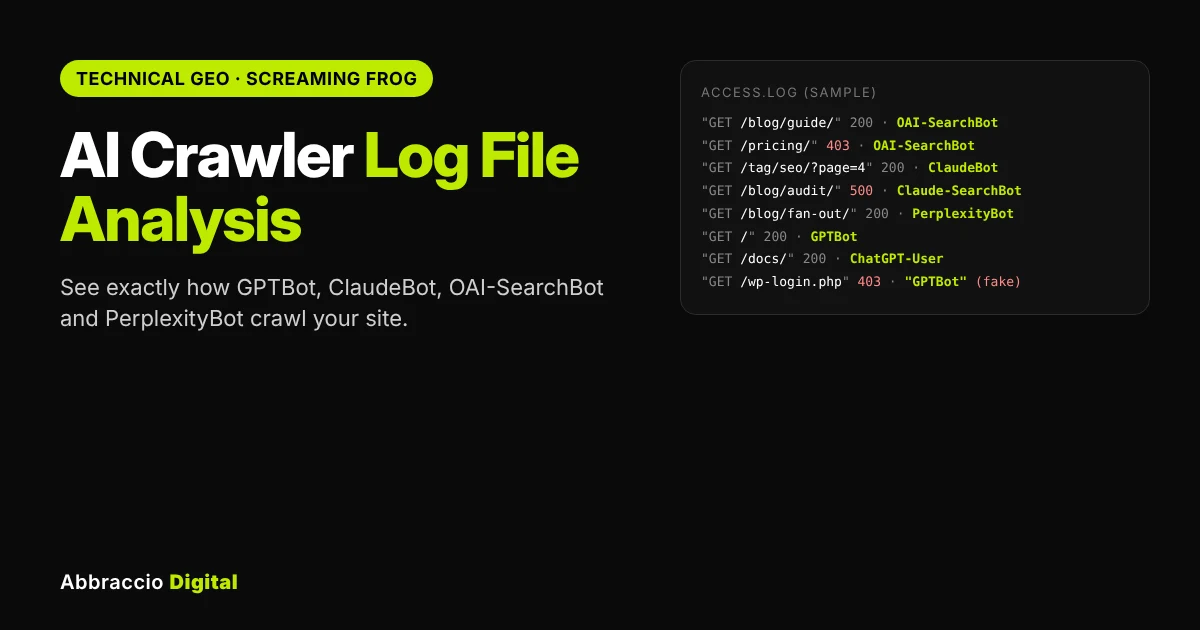
You can check robots.txt, you can test prompts in ChatGPT, and you can read GA4. But none of those tells you what AI crawlers actually do on your site: which pages they request, how often, whether they get errors, and whether the “GPTBot” in your traffic is even real.
Your server logs do. Every request from every bot is recorded there, which makes log files the only first-hand record of how OpenAI, Anthropic, Perplexity, Google and others read your content.
This guide walks you through AI crawler log file analysis step by step: which user agents to look for, how to get your logs, how to set up Screaming Frog’s Log File Analyser for AI bots, how to spot fake bots, the six analyses worth running, and how to turn what you find into fixes. If you don’t have Screaming Frog, there’s a free command-line method too.
Quick answer
What is AI crawler log file analysis? It’s reviewing your web server’s access logs to see how AI bots such as GPTBot, OAI-SearchBot, ClaudeBot and PerplexityBot crawl your site: which URLs they request, how often, which status codes they get, and whether they’re genuine. You import logs into a tool like Screaming Frog’s Log File Analyser, filter to AI user agents, verify them against the vendors’ official IP lists, and fix the errors and gaps you find.
Why log files are the only true record of AI crawling
AI crawling is large, growing, and shifting towards search, and most of it is invisible in analytics because bots don’t run JavaScript tags.
|
Finding
|
What it means for you
|
Source
|
|---|---|---|
|
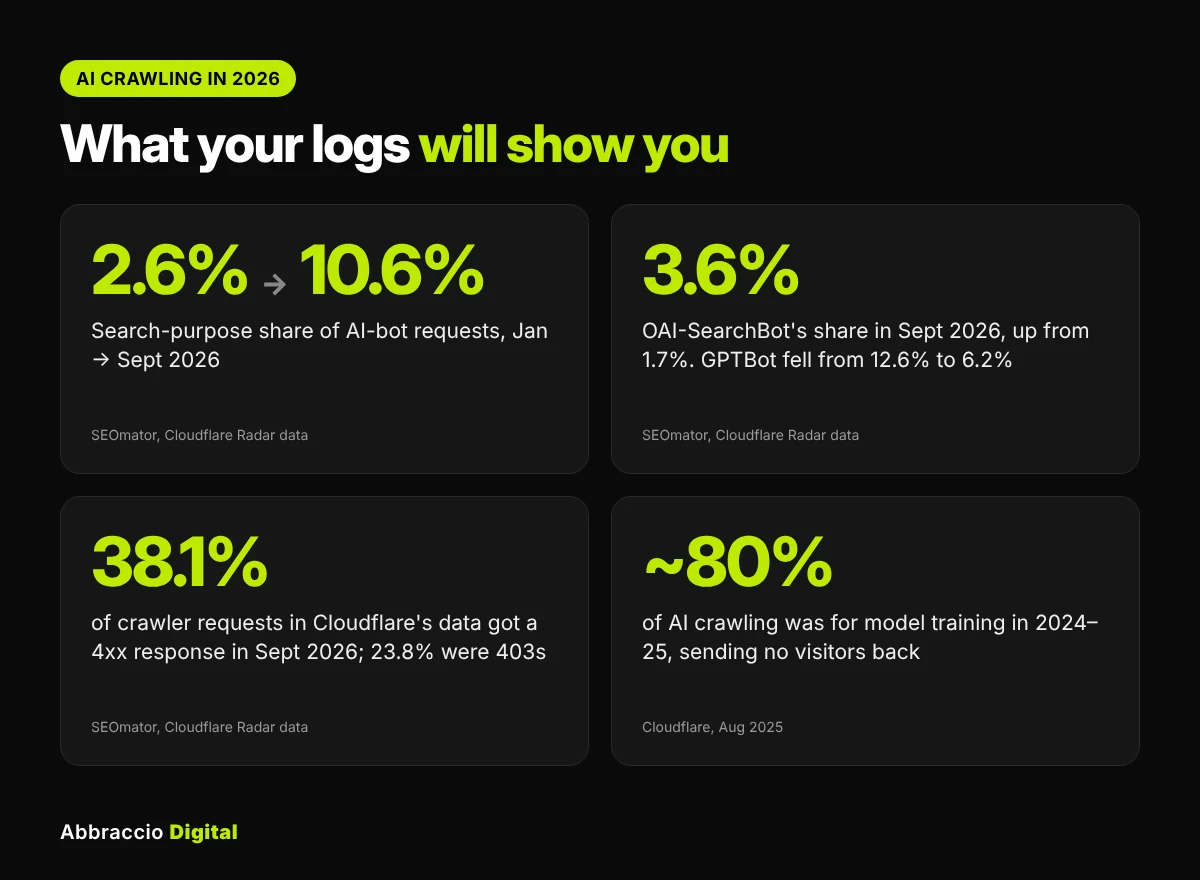
Search-purpose crawling rose from 2.6% of AI-bot requests in January 2026 to 10.6% in September
|
More AI bots now crawl to answer questions, not just to train models, so access now affects citations
|
|
|
OAI-SearchBot's share rose from 1.7% to 3.6%; GPTBot's fell from 12.6% to 6.2% (Jan–Sept 2026)
|
Treat OpenAI's search bot and training bot separately in your logs
|
|
|
38.1% of crawler requests in Cloudflare's data got a 4xx response in September 2026; 403s alone were 23.8%
|
Many sites block AI bots by accident through firewalls and security rules
|
|
|
Across 2024–25, about 80% of AI crawling was for training, 18% for search and 2% for user actions
|
Most AI crawling still sends no visitors back, so judge each bot by its purpose
|
SEOmator sells AI-visibility products; its figures are shares of AI-bot traffic on Cloudflare’s network, not absolute volumes.
The practical upshot: a bot that’s blocked, erroring or wasting its visits on junk URLs can’t cite your best pages. Logs are where you find out.
The AI crawlers to look for in your logs
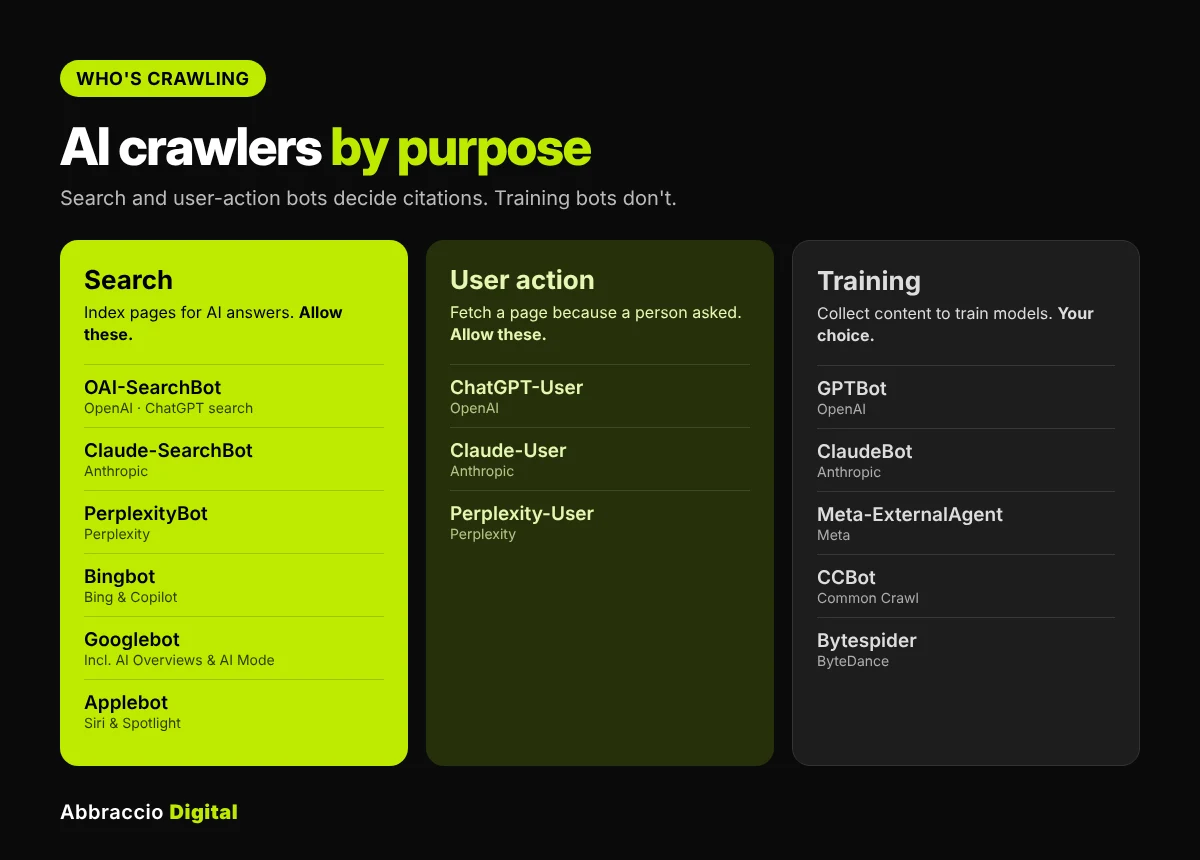
Group bots by purpose, because that decides what you do about them. Search and user bots affect whether you’re cited; training bots don’t.
|
User agent (string contains)
|
Operator
|
Purpose
|
Official IP list to verify against
|
|---|---|---|---|
|
OAI-SearchBot
|
OpenAI
|
Mostly cleans up the prompt and reruns a tidier version of the same search
|
openai.com/searchbot.json
|
|
ChatGPT-User
|
OpenAI
|
User action: fetches a page when a user asks
|
openai.com/chatgpt-user.json
|
|
GPTBot
|
OpenAI
|
Training
|
openai.com/gptbot.json
|
|
Claude-SearchBot
|
Anthropic
|
Search: indexes for Claude's answers
|
claude.com/crawling/bots.json (one list for all Anthropic bots)
|
|
Claude-User
|
Anthropic
|
User action
|
claude.com/crawling/bots.json
|
|
ClaudeBot
|
Anthropic
|
Training
|
claude.com/crawling/bots.json
|
|
PerplexityBot
|
Perplexity
|
Search: indexes for Perplexity answers
|
perplexity.com/perplexitybot.json
|
|
Perplexity-User
|
Perplexity
|
User action
|
perplexity.com/perplexity-user.json
|
|
Bingbot
|
Microsoft
|
Search: Bing and Copilot
|
Verify by reverse DNS (search.msn.com)
|
|
Googlebot
|
Google
|
Search, including AI Overviews and AI Mode
|
Verify by reverse DNS (googlebot.com / google.com)
|
|
Applebot
|
Apple
|
Search: Siri and Spotlight
|
Verify by reverse DNS (applebot.apple.com)
|
|
Meta-ExternalAgent
|
Meta
|
Training
|
Check Meta's crawler documentation
|
|
CCBot
|
Common Crawl
|
Open dataset used by many AI models
|
Check Common Crawl's documentation
|
IP list locations from eSEOspace’s verification guide; Anthropic’s single list confirms the vendor but not which of its bots made the request. Always download the lists fresh; they change.
Note on Google-Extended: it’s a robots.txt control token, not a separate crawler. You won’t see it in logs; Google’s AI features in Search use normal Googlebot crawling.
Step 1: Get your server log files
You need raw access logs, usually in Apache or Nginx “combined” format, covering at least 30 days. AI bots visit less often than Googlebot, so a week of data can mislead.
|
Where your site runs
|
Where to find logs
|
|---|---|
|
cPanel hosting
|
Metrics → Raw Access, then download the archived logs. Enable "Archive logs" first if it's off
|
|
Hostinger, SiteGround and similar managed hosts
|
Look for "Access logs" in the hosting dashboard, or ask support for raw logs
|
|
VPS or dedicated (Apache/Nginx)
|
Usually /var/log/apache2/access.log or /var/log/nginx/access.log, plus rotated .gz files
|
|
Behind Cloudflare
|
Your origin logs may show Cloudflare IPs instead of the bot's. Configure your server to log the real visitor IP (Cloudflare sends it in the CF-Connecting-IP header) or use Cloudflare's own logs on plans that include them
|
|
WordPress on managed platforms
|
Check the host's logs area; some hosts keep only a few days, so download regularly
|
Each log line should include the IP address, timestamp, requested URL, status code, bytes and user agent. If the user agent or IP is missing, the analysis won’t work; ask your host to switch to the combined log format.
Privacy note: access logs contain visitors’ IP addresses. Store them securely, keep them only as long as you need, and filter to bot traffic before sharing them with anyone.
Step 2: Set up Screaming Frog's Log File Analyser for AI bots
Screaming Frog’s Log File Analyser now comes with AI bots built in, so setup is quick.
- Create a project. Drag your log files into the Log File Analyser. It asks you to create a new project.
- Switch the user-agent filter to AI bots. In the project’s User Agents tab, the “Filter User Agents (Improves Performance)” option is ticked by default and covers only search engine bots. Use the filters to show AI bots and move the ones you want into the Selected pane.
- Add any missing bots. The presets include GPTBot, OAI-SearchBot, ChatGPT-User, ClaudeBot, Claude-User, PerplexityBot, Perplexity-User and CCBot. Add custom user agents for others you care about, such as Claude-SearchBot, Bingbot, Applebot and Meta-ExternalAgent.
- Turn on bot verification. Tick “Verify Bots When Importing Logs (Slows down Import)”. It checks requests against publicly confirmed IP lists, which matters because popular bots are often spoofed.
- Import, then use the date and bot drop-downs (top right) to focus on one bot or period at a time.
The Overview tab then summarises events, unique URLs, bytes per request and response times for the selected bots and dates.
Step 3: Separate real bots from fakes
Anyone can put “GPTBot” in a user agent. Scrapers do it to get past filters, so unverified numbers can mislead you badly.
- In Screaming Frog: after a verified import, check the verification results and use the IPs and Countries tab to inspect requests that failed verification or come from unexpected regions.
- Manually: download each vendor’s official IP list (see the table above) and check whether the request IPs fall inside the listed ranges. For OpenAI, Anthropic and Perplexity, these IP lists are the documented verification method, according to eSEOspace’s review of vendor docs.
- For Googlebot, Bingbot and Applebot: use reverse DNS. The IP should resolve to the vendor’s domain, and that hostname should resolve back to the same IP.
What to do with fakes: don’t count them in your analysis. If they’re heavy, block those IPs at your firewall or CDN, but block by IP, not by user-agent name, or you’ll block the real bot too. Anthropic also warns that blocking its IP addresses can stop its bots from reading your robots.txt, so only block IPs that fail verification.
Step 4: The 6 analyses to run
Work through these in order. Each points to a specific fix.
|
Question
|
Where in Screaming Frog
|
What to look for
|
|---|---|---|
|
Which AI bots visit, and how much?
|
User Agents tab
|
Requests, unique URLs and trends per bot. Is OAI-SearchBot, Claude-SearchBot or PerplexityBot missing entirely?
|
|
Are bots getting errors or blocks?
|
Response Codes tab
|
403s and 429s (often a firewall or rate limit), 5xx errors, and the "Inconsistent" column for URLs that return different codes
|
|
Which pages do they request most?
|
URLs tab, sorted by Num Events
|
Are your money pages and best guides being crawled, or is the budget going to tags, filters and parameters?
|
|
How deep do they go?
|
Directories tab
|
Whole sections (blog, products, docs) that AI bots never reach
|
|
Do they fetch new and updated content?
|
URLs tab plus your publish dates
|
How long after publishing a page an AI search bot first requests it
|
|
Are your pages fast and light for bots?
|
Overview and User Agents tabs
|
Average response time and bytes per request; slow or very heavy responses waste crawls
|
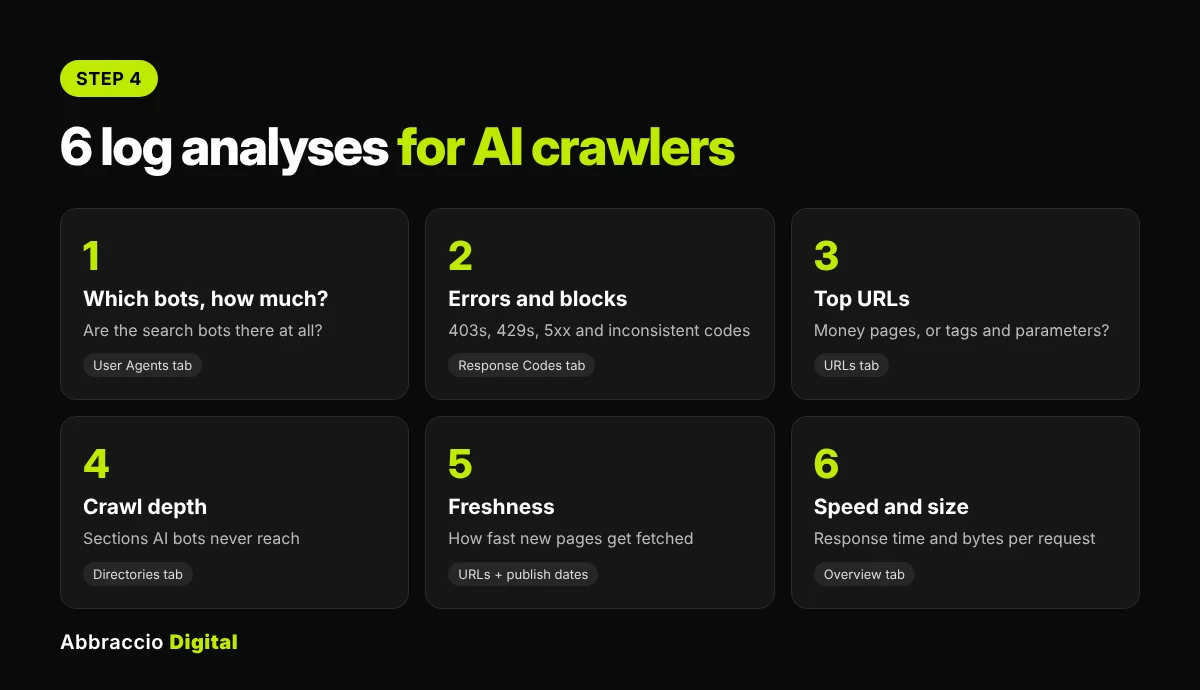
Add a crawl comparison. Screaming Frog lets you import a crawl from its SEO Spider and compare it with the logs. Pages in your crawl that never appear in AI bot logs are “uncrawled by AI”; pages in the logs that aren’t in your crawl are often orphan, old or junk URLs that are wasting crawl activity.
Bonus for user-action bots: a request from ChatGPT-User, Claude-User or Perplexity-User usually means a real person’s question led the AI to fetch that page. Those URLs are a useful clue to which pages are being used in live AI answers.
Log files show you whether AI bots are reaching your pages, but not whether those pages show up in AI answers. To check that side, follow our guide to running an AI visibility audit.
Step 5: Turn findings into fixes
|
What you found
|
Likely cause
|
Fix
|
|---|---|---|
|
A search bot (OAI-SearchBot, Claude-SearchBot, PerplexityBot) is absent
|
Blocked in robots.txt, by a CDN "block AI bots" setting or a security plugin
|
Allow search and user-action bots in robots.txt; review Cloudflare, Wordfence or similar bot rules
|
|
Lots of 403 or 429 responses to verified AI bots
|
Firewall or rate limiting treats them as attackers
|
Allowlist verified bot IP ranges, or relax rate limits for them
|
|
5xx errors or slow responses
|
Server strain, heavy pages
|
Cache bot traffic, improve server response time, fix the failing templates
|
|
Crawls wasted on tags, filters, parameters, old URLs
|
Weak internal linking, no canonicals, open faceted navigation
|
Canonicals, robots.txt disallows for junk parameters, prune or redirect old URLs
|
|
Key pages never requested
|
Deep in the site, poorly linked, not in the sitemap
|
Link them from the homepage and hubs; add to the XML sitemap
|
|
New posts take weeks to be fetched
|
Slow discovery
|
Link new posts from high-traffic pages; submit to Bing and use IndexNow, which also feeds Copilot
|
|
Spoofed "AI bots" make heavy requests
|
Scrapers faking user agents
|
Block the failing IPs at the firewall, never the user-agent name
|
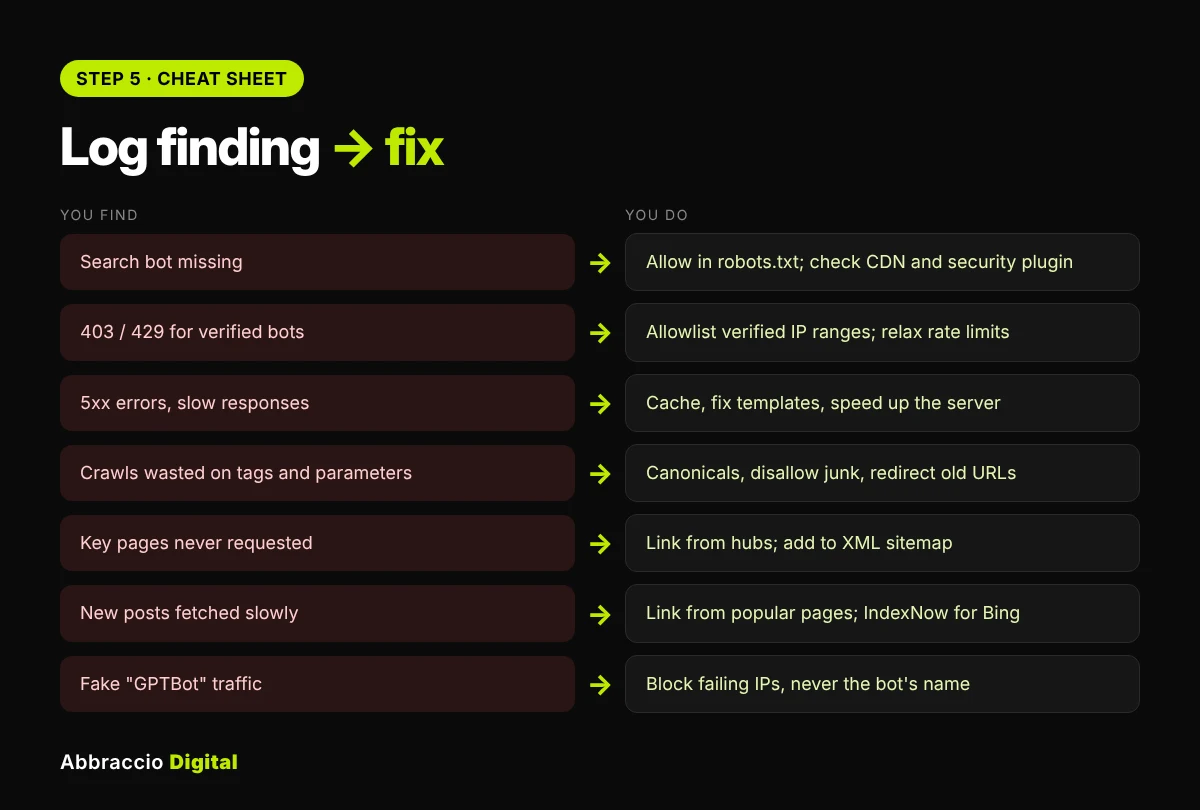
Then re-check the logs 30 days after your fixes. You want to see the search and user-action bots appear (or grow), errors drop, and crawl activity move towards your important pages.
No Screaming Frog? Two free alternatives
1. The command line (Mac, Linux, or Windows with WSL). If you can open your log file in a terminal, these commands give you the core numbers in seconds. Replace access.log with your file name.
These read only the user-agent field (the 6th quoted section in the combined log format), because bot names also appear inside the info URLs bots include, which would double-count them.
Count requests per AI bot:
awk -F'”‘ ‘{print $6}’ access.log | grep -oE “OAI-SearchBot|ChatGPT-User|GPTBot|Claude-SearchBot|Claude-User|ClaudeBot|PerplexityBot|Perplexity-User|bingbot|Applebot|meta-externalagent|CCBot” | sort | uniq -c | sort -rn
Status codes returned to OpenAI’s search bot:
awk -F'”‘ ‘$6 ~ /OAI-SearchBot/ {split($3,a,” “); print a[1]}’ access.log | sort | uniq -c | sort -rn
The 20 URLs PerplexityBot requests most:
awk -F'”‘ ‘$6 ~ /PerplexityBot/ {split($2,a,” “); print a[2]}’ access.log | sort | uniq -c | sort -rn | head -20
The free toolkit includes a script that runs all of this for every AI bot and writes a CSV you can paste into the findings workbook.
2. Cloudflare’s dashboard. If your site runs through Cloudflare, its AI Crawl Control section (previously called AI Audit) shows which AI crawlers visit, how often, and lets you allow or block them per crawler, without touching log files. It doesn’t replace page-level analysis, but it’s the fastest first look.
Key takeaways
- Server logs are the only first-hand record of what AI crawlers do on your site; analytics tags don’t see bots.
- Split bots by purpose: search and user-action bots (OAI-SearchBot, ChatGPT-User, Claude-SearchBot, PerplexityBot) affect citations; training bots (GPTBot, ClaudeBot) don’t.
- Search-purpose AI crawling grew from 2.6% to 10.6% of AI-bot requests on Cloudflare between January and September 2026, so access matters more each month.
- Verify bots against the vendors’ official IP lists before trusting the numbers; user agents are easy to fake.
- Run six checks: which bots, errors, top URLs, depth, freshness and speed. Then fix blocks, errors and wasted crawls, and re-check after 30 days.
Conclusion
Every AI answer that cites your site starts with a crawler request. If that request is blocked, erroring, faked or wasted on a junk URL, the citation never happens, and no prompt test or analytics report will tell you why.
Log files will. Pull 30 days of logs, filter to the AI bots that matter, verify them, run the six checks, and fix what you find. It’s a few hours of work that most of your competitors will never do.
Sources
- Monitor AI bots in the Log File Analyser — Screaming Frog
- Monthly AI crawler report: September 2026 — SEOmator, using Cloudflare Radar data, Oct 2026
- The crawl-to-click gap: Cloudflare data on AI bots, training and referrals — Cloudflare, Aug 2025
- How to verify real AI bots in your server logs — eSEOspace
Frequently Asked Questions
Search your server access logs for OpenAI’s user agents: OAI-SearchBot (ChatGPT search indexing), ChatGPT-User (pages fetched for a user’s question) and GPTBot (training). Then check the request IPs against OpenAI’s official IP lists to confirm they’re genuine.
Yes. It includes presets for GPTBot, OAI-SearchBot, ChatGPT-User, ClaudeBot, Claude-User, PerplexityBot, Perplexity-User and CCBot, supports custom user agents, and can verify bots against public IP lists during import.
That’s a business decision. They’re training crawlers, so blocking them doesn’t remove you from ChatGPT or Claude search answers. Don’t block the search and user-action bots if you want to be cited.
Compare the request’s IP address with the vendor’s official IP list: OpenAI, Anthropic and Perplexity publish JSON files of their ranges. For Googlebot, Bingbot and Applebot, use a reverse DNS lookup. A matching user agent from an unlisted IP is likely a scraper.
Monthly is enough for most sites, plus 30 days after any change to robots.txt, firewall rules or site structure. Large sites or those making frequent changes may want weekly checks.
Yes. A few command-line commands on Mac, Linux or Windows (WSL) count requests, status codes and top URLs per bot, and Cloudflare’s AI Crawl Control dashboard shows AI crawler activity for sites on Cloudflare.