For two years, SEOs argued about what it takes to show up in Google’s AI Overviews and AI Mode. Some said write in short chunks. Some said add an llms.txt file. Some said GEO is a new discipline that replaces SEO.
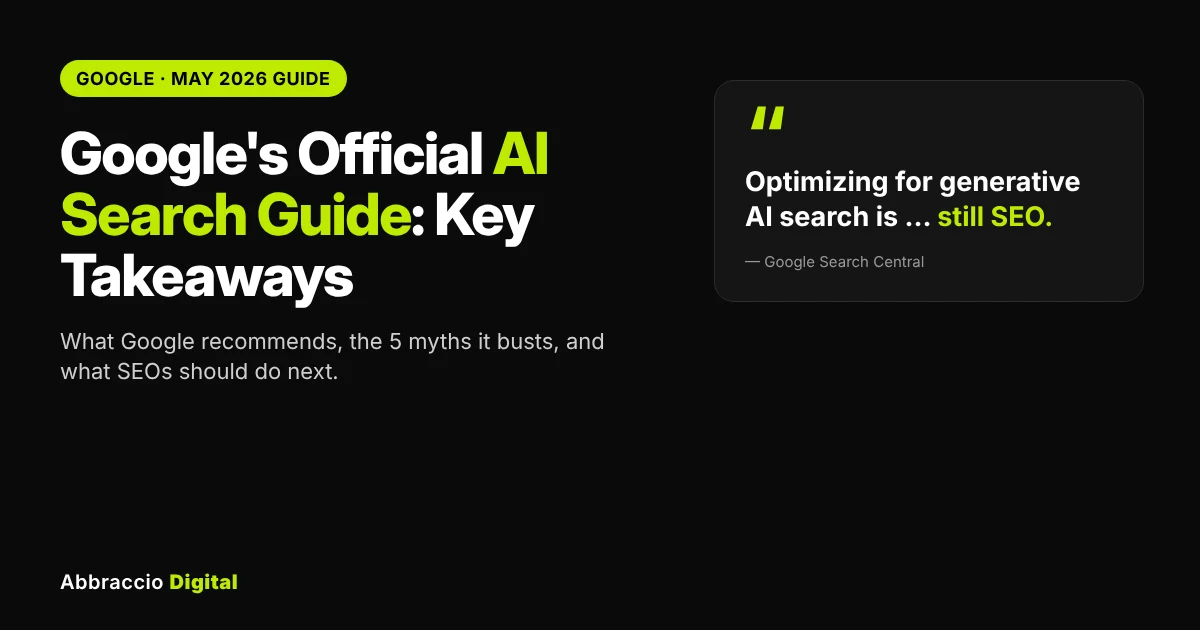
In May 2026, Google settled most of it. It published its first dedicated guide, Optimizing your website for generative AI features on Google Search, and its message was blunt: “optimizing for generative AI search is optimizing for the search experience, and thus still SEO.”
Then, over the summer, Google gave site owners two new tools in Search Console: a Generative AI performance report and a setting to exclude a site from AI features altogether.
This post walks through everything Google has officially said, in plain English: what it recommends, the five tactics it says you can ignore, the controls you have, how to measure results, and, just as important, where Google’s guide stops and you still need a plan of your own.
Quick Answer
What does Google’s official AI search guide say? There are no special tricks for AI Overviews or AI Mode: they run on Google’s core ranking systems, so optimising for them “is still SEO”. Make sure pages are indexed and snippet-eligible, publish original “non-commodity” content with first-hand experience, keep Merchant Center and Business Profile data accurate, and skip llms.txt, content chunking, AI rewrites, fake mentions and special schema. Track results in Search Console’s Generative AI performance report (impressions only), and use the Search generative AI setting only if you want to leave AI features entirely.
|
Do
|
Don't bother (for Google)
|
|---|---|
|
Original, first-hand content
|
llms.txt or "AI files"
|
|
Indexable, snippet-eligible pages
|
Chunking content for AI
|
|
Clear headings, images and video
|
Rewriting for every keyword variant
|
|
Merchant Center and Business Profile
|
Buying or faking mentions
|
|
Monitor the Generative AI report
|
Special AI schema
|
What Google has officially published about AI search
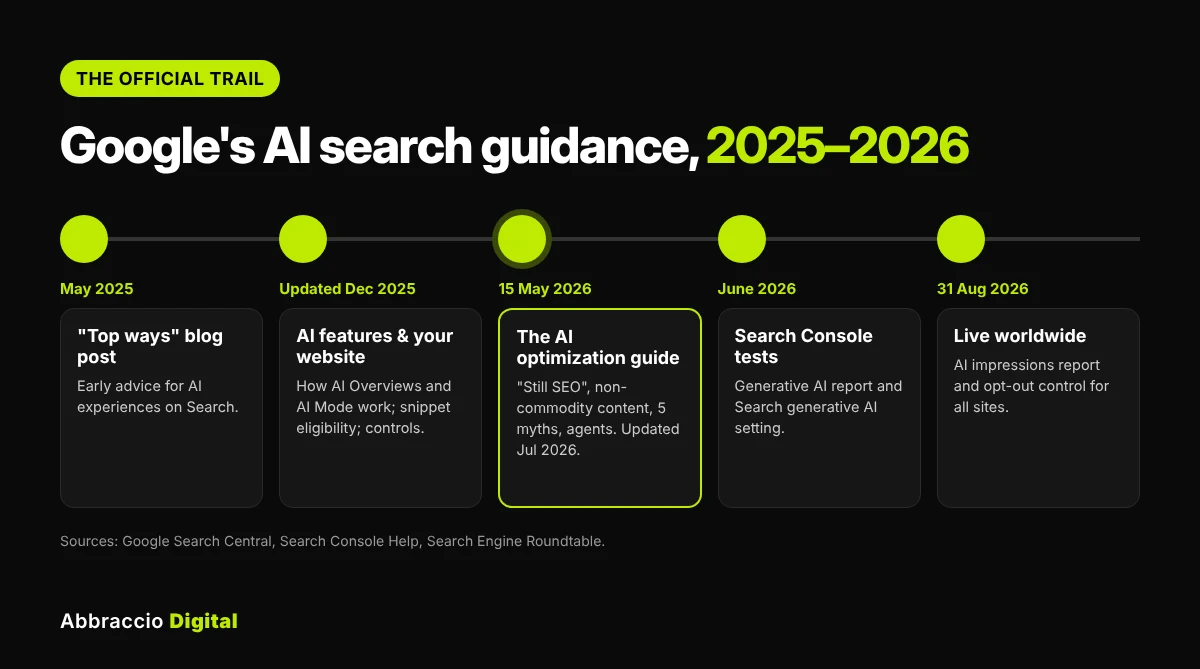
“Google’s AI search guide” can mean several documents. Here’s the official trail, so you know which one says what.
|
When
|
What Google published
|
What it covers
|
|---|---|---|
|
May 2025
|
||
|
2025 (updated Dec 2025)
|
||
|
15 May 2026
|
||
This post focuses on the May 2026 guide, because it’s the most complete statement Google has made, and adds the Search Console changes that followed.
Google’s guide confirms that AI Overview and AI Mode clicks are rolled into your regular Search Console data, which makes them hard to isolate. If you want a clearer picture, here’s how to measure AI search visibility using citations, brand mentions and prompt tracking.
7 key takeaways from Google's guide
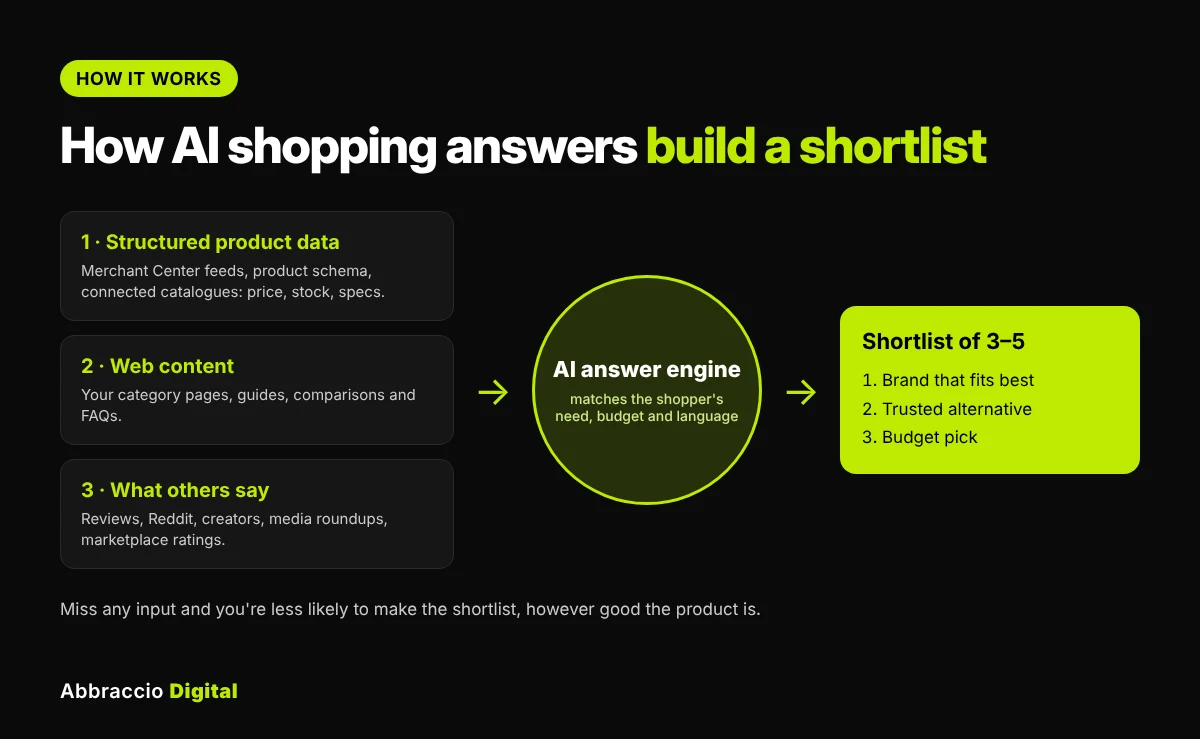
AI engines build a product shortlist from three kinds of input. You need to be strong in all three.
1. AI search runs on core Search
Google explains that its AI features use two techniques:
- Retrieval-augmented generation (RAG), also called grounding: the AI pulls fresh pages from the Search index, ranked by Google’s core systems, to write an accurate answer.
- Query fan-out: the AI runs several related searches at once to find more relevant pages. (We explain this in depth in our query fan-out guide.)
What it means for you: if a page doesn’t rank or isn’t indexed, it can’t be used as a source. Your SEO foundations decide your AI visibility.
2. “AEO” and “GEO” are still SEO, in Google’s eyes
Google’s wording: “optimizing for generative AI search is optimizing for the search experience, and thus still SEO.” Labels like AEO and GEO are fine as shorthand, but for Google Search there’s no separate rulebook.
What it means for you: don’t split your budget between “SEO” and “GEO” as if they compete. For Google, they’re the same work. (Other AI platforms are a different story; see “Where Google’s guide stops” below.)
3. Non-commodity content wins
This is the biggest content message. Google asks for content with a unique point of view, such as first-hand experience, rather than a rewrite of what’s already out there. Coverage of the guide highlights Google’s example: a generic list of homebuyer tips versus a specific, first-hand account of a home inspection.
Google also recommends:
- clear paragraphs, sections and headings
- high-quality, relevant images and video
- not mass-producing pages for query variations, which can break the scaled content abuse spam policy
The test Google suggests: “Is this content that my visitors would find satisfying?”
What it means for you: add what only you know: your data, photos, tests, client examples and opinions. A page that says the same thing as the top 10 results has little reason to be cited.
4. Technical basics are the entry ticket
To appear in AI features, a page must be indexed and eligible to show a snippet. “Indexing and serving aren’t guaranteed.” Google lists:
- keep content crawlable (large sites: watch crawl budget)
- use semantic HTML where practical (perfect code isn’t required)
- follow JavaScript SEO best practices
- provide a good page experience on all devices
- reduce duplicate content
- verify your site in Search Console
What it means for you: check snippet controls. A stray nosnippet or a very low max-snippet can keep good pages out of AI answers.
5. Local and e-commerce data feeds AI answers
Google recommends Merchant Center feeds and Google Business Profiles so products and services can appear in AI responses. It also mentions Business Agent, a conversational experience that lets customers chat with your brand on Search.
What it means for you: if you sell products or serve a local area, your feeds and profile are as important as your pages. (See our GEO guide for D2C brands.)
6. Agents are coming, but they’re optional for now
The guide has a new section on agentic experiences: AI agents that do tasks for people, like booking or comparing products. Browser agents may read your site through screenshots, the DOM and the accessibility tree. Google points to web.dev’s agent-friendly website guidance and the Universal Commerce Protocol (UCP), which it says will let Search agents do more.
What it means for you: accessible, well-labelled forms and buttons help both people and agents. Treat this as a “next” item unless you run bookings or checkout at scale.
7. You don’t have to do everything
Google says plainly that “plenty of content thrives in Google Search (including generative AI experiences) without any overt SEO at all.” The guide is a set of good practices, not a checklist you must complete.
What it means for you: prioritise. Fix anything blocking indexing and snippets first, then invest in content only you can create.
Google confirms that AI Mode and AI Overviews may use a “query fan-out” technique, running multiple related searches across subtopics to build one answer. To learn how to optimize for these hidden searches, read our guide on query fan-out SEO.
The 5 myths Google busted
Google’s “mythbusting” section is the part most SEOs shared. Here’s each myth, what Google said, and the nuance worth keeping.
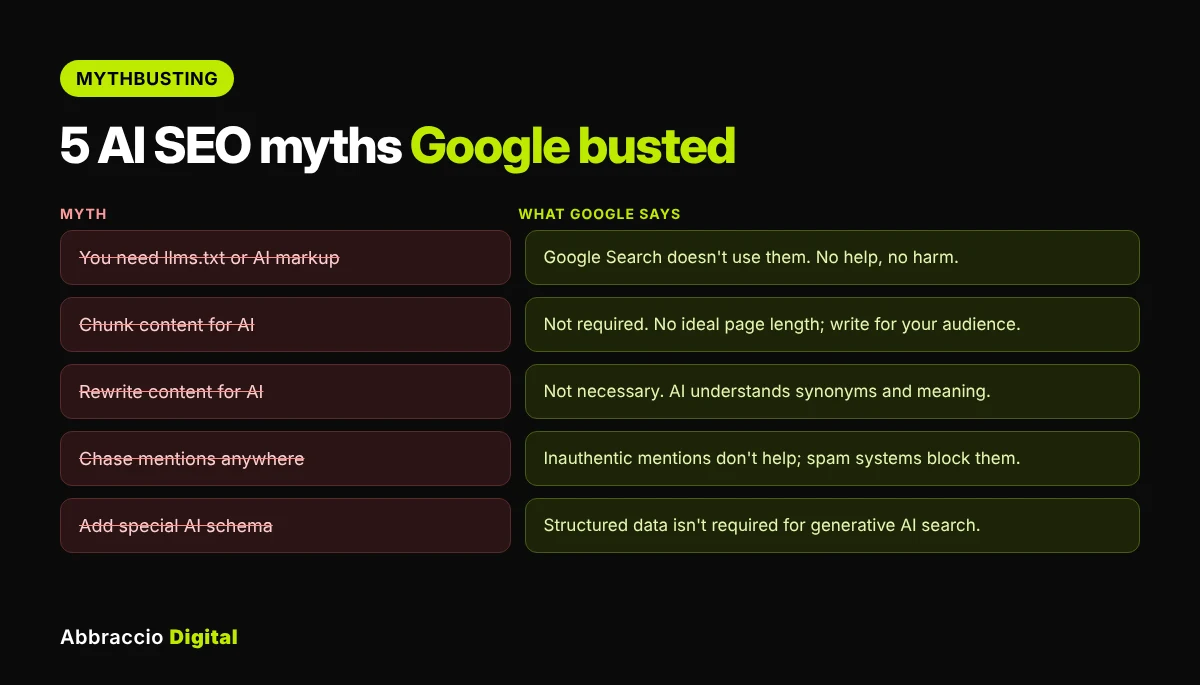
|
Myth
|
What Google says
|
The nuance
|
|---|---|---|
|
You need an llms.txt file or special AI markup
|
Not needed. Google Search doesn't use these files; they neither help nor harm your visibility in Search
|
Harmless to keep if you have one. Just don't expect it to move Google results
|
|
You must "chunk" content into small pieces
|
Not required. Google can handle several topics on one page and surface the relevant part. There's no ideal page length
|
Clear headings and focused sections still help readers, and Google itself recommends clear structure. The point is: don't break content up just for AI
|
|
You must rewrite content for AI
|
Not necessary. AI understands synonyms and general meaning, so you don't need to cover every keyword variant or adopt a special style
|
Rewriting to add new information is still worthwhile. Rewriting to stuff variants isn't
|
|
You should chase mentions anywhere you can
|
Seeking inauthentic mentions "isn't as helpful as it might seem": core ranking focuses on quality and spam systems block manipulation
|
Google accepts that AI features can surface what others say about you. Earned, genuine mentions are still valuable
|
|
You need special structured data for AI
|
"Structured data isn't required for generative AI search," and there's no special AI schema
|
Structured data still earns rich results and supports Merchant Center. Keep it, accurate and matching visible content
|
What it means for you: if someone sells you an “AI file”, a chunking service or a mention-buying package as the key to Google’s AI Overviews, Google’s own guide says otherwise. Spend that budget on content and technical fixes.
Google stresses that content has to be crawlable and indexable before it can show up in AI features. To see which AI bots are actually reaching your pages, and which ones are getting blocked, try AI crawler log file analysis.
The controls you have over AI features
Most sites want more AI visibility, not less. But you should know which control does what, because the wrong one can quietly remove you from AI answers.
|
Control
|
What it does
|
Use it when
|
|---|---|---|
|
Search generative AI setting (Search Console → Settings)
|
Excludes your whole site from appearing in or around Google's generative AI features, as links or for grounding. Available worldwide since 31 Aug 2026
|
You've decided, as a business, not to appear in AI Overviews or AI Mode at all. Site-wide only for now
|
|
nosnippet
|
Stops Google showing a text snippet from the page, which also keeps it out of AI features
|
A page must never be quoted
|
|
data-nosnippet
|
Hides a specific part of a page from snippets and AI answers
|
Hiding a section, like pricing or a disclaimer, while keeping the page eligible
|
|
max-snippet:[n]
|
Limits snippet length
|
Rarely. Very low values can reduce AI eligibility
|
|
noindex
|
Removes the page from Search entirely
|
The page shouldn't be in Google at all
|
|
Google-Extended (robots.txt)
|
Limits use of your content for AI training and grounding in some of Google's other systems, such as Gemini apps
|
You want to limit Gemini training. Per Google, it isn't the control for Search crawling, which is managed through Googlebot
|
What it means for you: before you touch any of these, audit what’s already set. Run a crawl for nosnippet, data-nosnippet and max-snippet across your site, and check the Search generative AI setting in each Search Console property. Excluding your site is a serious business decision: it gives up AI visibility on Google, and the trade-offs are still being debated.
How Google says to measure AI search
Google’s guide points to one place: Search Console. Here’s what you get, and what you don’t.
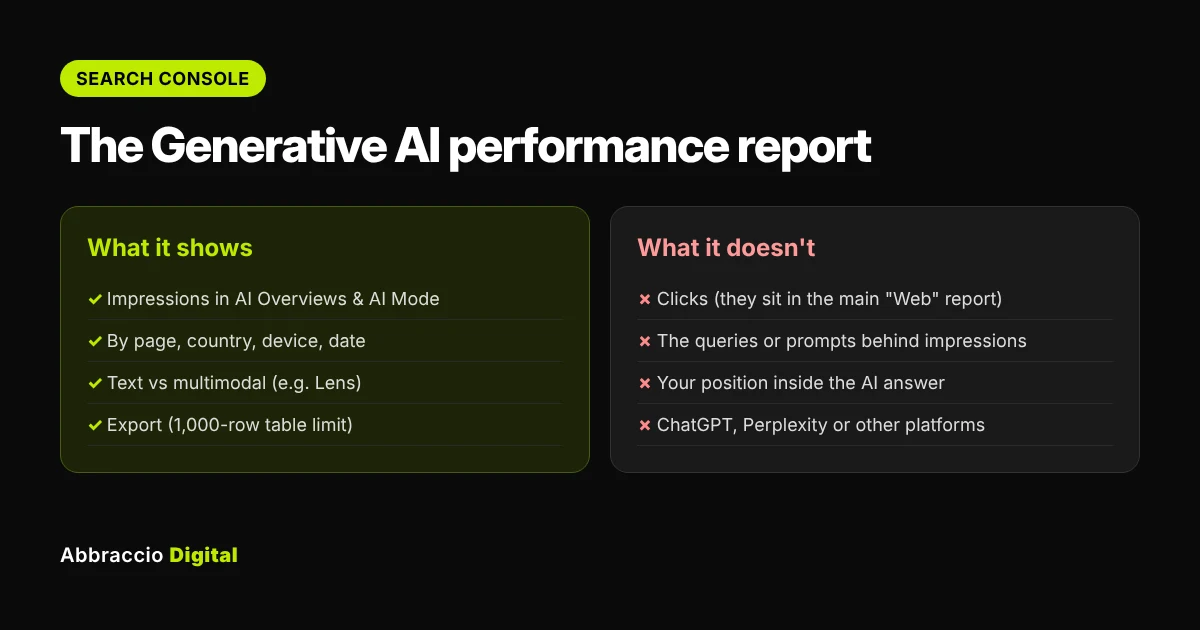
The Generative AI performance report (Google help page) shows:
- Impressions: how many times links to your site were shown in a generative AI feature on Google Search (AI Overviews and AI Mode)
- Breakdowns: by page, country, device and date
- Search type: “Web: text-based” and “Web: multimodal” (image searches, like Google Lens)
- Export: chart and table data, with the usual 1,000-row table limit
It does not show clicks or the queries behind those impressions. Clicks from AI Overviews and AI Mode are counted inside the normal Performance report, within the “Web” search type, mixed with regular results.
Google’s other measurement points:
- Google says clicks from AI features are “higher quality”, meaning people tend to spend more time on the site, and suggests tracking conversions and time on site in your analytics.
- Be careful with tools that promise rankings or claim inside access: “No third-party tool has access to our internal ranking or AI systems.”
What it means for you:
- Add the Generative AI report to your monthly reporting: impressions by page, month on month.
- Compare top AI-impression pages with top organic-click pages to spot pages that are seen in AI but rarely clicked.
- Remember that Google AI Overview clicks arrive in GA4 as Google organic, not in the AI Assistant channel. Our GA4 AI channel guide covers the other platforms.
- Use prompt tracking tools for other AI platforms, but treat their numbers as samples, not Google’s data.
For the full framework, read how to measure AI search visibility.
Google’s guide says clicks from AI experiences show up in your regular Search Console data, but traffic from other AI tools like ChatGPT and Perplexity needs separate tracking. Setting up a GA4 AI Assistant channel lets you see exactly how much of your traffic and conversions come from these platforms.
Where Google's guide stops
Google’s guide is honest and useful, but it’s written about Google’s own features. Four gaps are worth planning for.
1. Other AI platforms
ChatGPT, Perplexity, Claude and Copilot don’t use Google’s ranking systems. They rely on their own crawlers, indexes and search partners. So the guide doesn’t tell you whether, say, ChatGPT values llms.txt or structured data.
Do this: make sure their search crawlers can reach you (OAI-SearchBot, PerplexityBot, Claude-SearchBot, Bingbot) and check your logs. Our AI crawler log guide shows how.
2. What others say about you
Google warns against inauthentic mentions, but it also accepts that AI features surface what blogs, videos and forums say about a brand. Independent research points the same way: in Ahrefs’ study of 75,000 brands, branded web mentions were the factor most strongly correlated with AI Overview visibility.
Do this: earn genuine coverage through digital PR, expert quotes, partnerships, reviews and community participation. Never buy or fake it.
3. Clicks and business results
The Generative AI report shows impressions, not clicks or queries. You still need your own way to connect AI visibility to leads and revenue.
Do this: combine Search Console, GA4, a monthly prompt sample, and a “How did you hear about us?” field on forms.
4. The questions behind the question
Google confirms that query fan-out exists but doesn’t tell you which sub-questions it runs for your topics.
Do this: map the likely follow-up questions for your key topics (comparisons, costs, “for whom”, alternatives) and make sure you have a clear, original answer for each. Our query fan-out guide includes a content map template.
Our take at Abbraccio Digital: for Google, GEO is SEO done well. Across all AI platforms, GEO adds three things on top: access for every AI crawler, earned brand mentions, and measurement beyond clicks.
Your action checklist
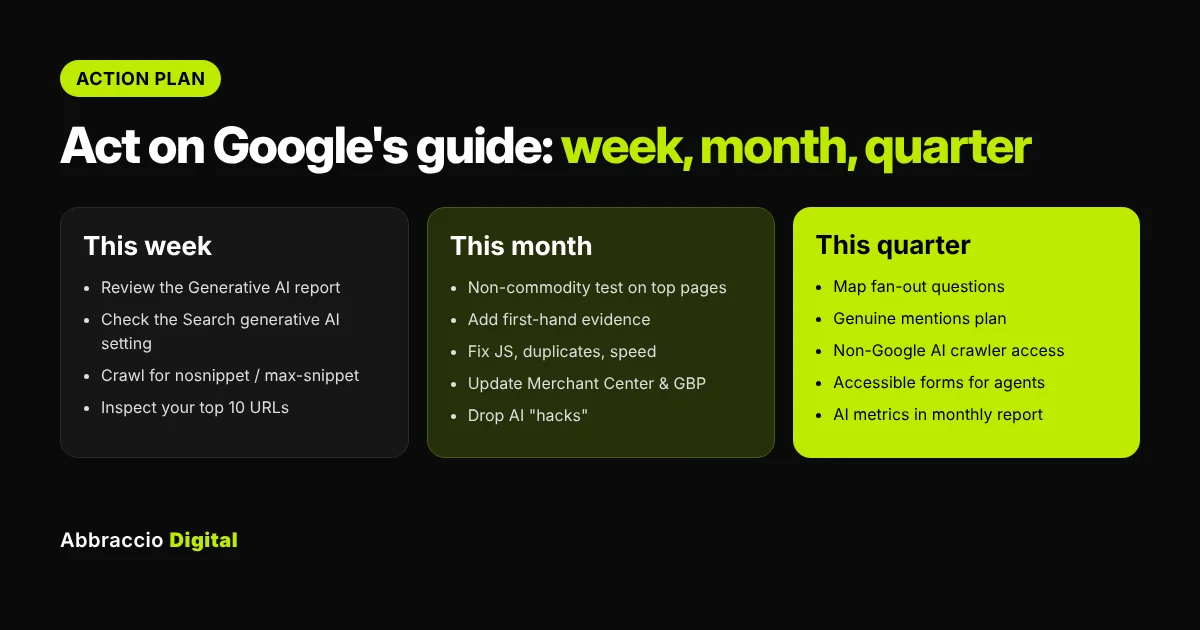
This week
- Open the Generative AI performance report in Search Console and note your top 20 pages by AI impressions
- Check the Search generative AI setting is set the way you intend, for every property
- Crawl the site for
nosnippet,data-nosnippet,max-snippetandnoindexon pages that should appear in AI answers - Use URL Inspection on your 10 most important pages: indexed, and rendering correctly?
This month
- Run the non-commodity test on your top 10 pages: what do they say that the top results don’t?
- Add first-hand evidence to the weakest ones: your data, photos, examples, expert opinion
- Fix JavaScript-only content, duplicate pages and slow templates
- Update Merchant Center feeds and your Google Business Profile, if relevant
- Stop or pause any work on llms.txt-for-Google, chunking rewrites or bought mentions
This quarter
- Map follow-up questions (fan-out) for your 5 main topics and fill the gaps
- Build a genuine mentions plan: PR, reviews, community, partners
- Check access and logs for non-Google AI crawlers
- Review forms, buttons and labels for accessibility (helps people and agents)
- Add AI impressions, AI-referred sessions and conversions to your monthly report
Free download: the Google AI Search Guide Audit workbook turns this into a scored checklist, with a page-by-page non-commodity content test and a myth-vs-fact sheet you can share with your team.
Google’s guidance applies to every industry, but putting it into practice looks different for each one. If you work with e-commerce or direct-to-consumer clients, our guide on GEO for Indian D2C brands shows how to turn these principles into product recommendations in AI search.
Key takeaways
- Google’s May 2026 guide says optimising for AI Overviews and AI Mode “is still SEO”: AI features run on core ranking via RAG and query fan-out.
- Non-commodity content, with first-hand experience and a unique point of view, is Google’s main content advice.
- Pages must be indexed and snippet-eligible to appear in AI features. Check snippet controls.
- Google says you don’t need llms.txt, chunking, AI rewrites, manufactured mentions or special schema for its AI features.
- Merchant Center and Business Profile data feed AI answers for products and local businesses.
- Search Console now has a Generative AI performance report (impressions only) and a site-wide Search generative AI setting.
- Google’s guide covers Google only. Plan separately for ChatGPT, Perplexity and other AI platforms, for earned mentions and for business measurement.
Frequently Asked Questions
Yes. In May 2026 Google published “Optimizing your website for generative AI features on Google Search” in its Search Central documentation. It covers how AI features work, what to focus on, myths, measurement and AI agents.
No. Google says optimising for generative AI search “is optimizing for the search experience, and thus still SEO.” Other AI platforms work differently, so a wider GEO plan still matters outside Google.
No. Google says Google Search doesn’t use llms.txt or similar AI files, and they neither help nor harm your visibility in Search.
No. Google says structured data isn’t required for generative AI search. It’s still useful for rich results and product data, so keep it accurate.
Your page must be indexed and eligible to show a snippet. Beyond that, Google points to non-commodity content, a sound technical setup, and Merchant Center or Business Profile data where relevant. Inclusion isn’t guaranteed.
Partly. The Generative AI performance report shows impressions in AI Overviews and AI Mode by page, country, device and date. It doesn’t show clicks or queries; clicks are counted in the main Performance report under “Web”.
Yes. Search Console has a site-level Search generative AI setting that excludes your site from Google’s generative AI features. Snippet controls like nosnippet and data-nosnippet work at page or section level
No. Google-Extended limits use of your content in some of Google’s other AI systems, such as Gemini apps. Search crawling is controlled through Googlebot.
Conclusion
Google’s guide is a reality check. There’s no secret file, schema or writing style that unlocks AI Overviews. The same things that have always worked in Google still work: content that adds something new, a site Google can crawl and index, and accurate product and local data.
That’s good news. It means the budget you might have spent on AI hacks can go into content only you can create and technical fixes that help every channel.
But Google only speaks for Google. To be recommended across ChatGPT, Perplexity and the rest, you also need open access for AI crawlers, genuine mentions across the web, and measurement that goes beyond clicks.
Sources
- Google Search Central — Optimizing your website for generative AI features on Google Search (last updated 10 Jul 2026)
- Google Search Central Blog, May 2026 — A new resource for optimizing for generative AI in Google Search
- Google Search Central — AI features and your website (last updated 10 Dec 2025)
- Google Search Central Blog, May 2025 — Top ways to ensure your content performs well in Google’s AI experiences on Search
- Search Console Help — Generative AI performance report (Search)
- Search Engine Journal, 15 May 2026 — Google’s new AI search guide calls AEO and GEO still SEO
- Search Engine Roundtable, 1 Sep 2026 — Search Console generative AI report and control live globally
- Ahrefs — AI Overview brand correlation study